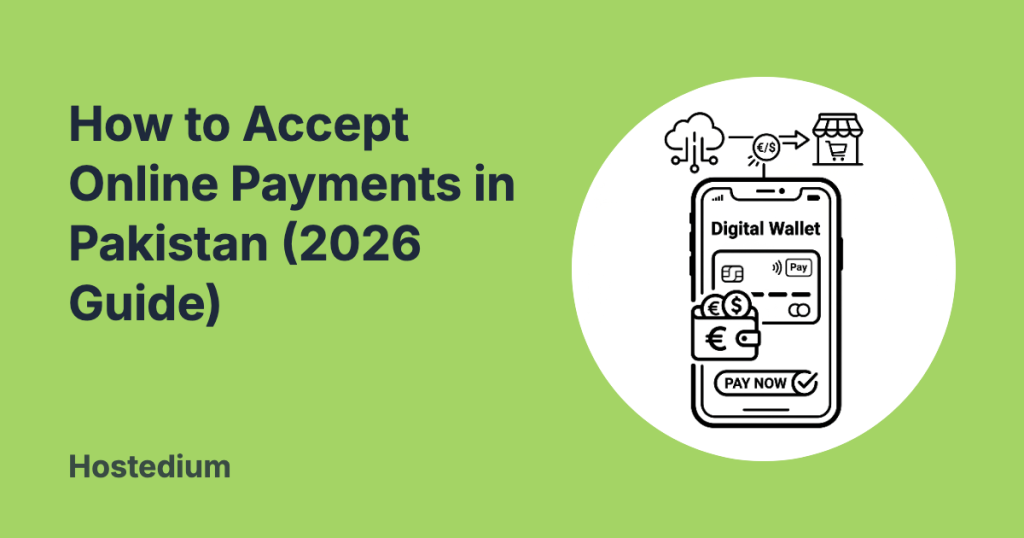

Accepting online payments in Pakistan requires setting up a merchant account with a local payment gateway, utilizing a digital wallet, or integrating a global processor like 2Checkout. The most effective method is connecting a local gateway such as Safepay, NIFT ePay, or JazzCash directly to your website. This allows businesses to process credit cards, debit cards, and mobile wallet transactions seamlessly while funds settle into a linked Pakistani bank account.
Top Payment Processing Methods
When evaluating how to accept online payments in Pakistan, you have three primary categories to consider: local gateways, mobile wallets, and international processors. Selecting the right combination depends on your target audience and technical capabilities.
Local Payment Gateways
Local payment gateways are the backbone of digital commerce in the country. They support domestic schemes like PayPak alongside global networks like Visa and Mastercard. Integrating reliable payment gateways in pakistan for ecommerce provides your customers with a secure and familiar checkout experience. Companies like Safepay, PayFast, and Kuickpay offer robust APIs and plugins for major platforms like WooCommerce and Shopify. If you are building a digital store from scratch, understanding how to start an ecommerce website in Pakistan will help you align your platform choice with your preferred gateway.
Mobile Wallets
Mobile wallets dominate the consumer transaction landscape. JazzCash and EasyPaisa allow merchants to integrate dedicated payment buttons directly onto their checkout pages. Customers simply enter their mobile numbers and authenticate the transaction on their devices. This method is highly effective for targeting younger demographics and users without traditional bank accounts.
International Processors
While global giants like PayPal and Stripe are not officially available, businesses serving international clients can utilize alternatives like Payoneer or 2Checkout. These platforms allow you to charge clients in USD and withdraw funds to your local bank account in PKR.
Regulatory Push for Digital Payments
The regulatory environment in Pakistan is rapidly evolving to support digital merchants. The State Bank of Pakistan (SBP) is actively working to reduce cash reliance and streamline merchant onboarding. In a recent mandate, the SBP advises banks, REs to offer digital payment solutions to all merchants, setting an October 2025 deadline for widespread adoption of tools like Raast QR and integrated checkout systems. This regulatory push means acquiring a merchant account is becoming faster and more accessible for small businesses.
Setting Up Your Website Infrastructure
Security and uptime are non-negotiable when dealing with financial transactions. Your website must be hosted on servers optimized for heavy transactional loads and encrypted data transfers. Investing in premium ecommerce hosting in Pakistan ensures your checkout page remains fast, secure, and PCI compliant during peak shopping seasons.
Comparison of Popular Payment Solutions
Choosing the right provider involves comparing costs, features, and settlement times. Below is a high-level comparison of popular processors used by Pakistani businesses.
| Payment Provider | Setup Fee | Average Transaction Fee | Settlement Time | Best For |
|---|---|---|---|---|
| Safepay | Zero | 2.5% to 3.0% | 24 – 48 Hours | WooCommerce & Shopify Stores |
| JazzCash | Variable | 1.5% to 2.5% | Next Business Day | Mobile-first audiences |
| PayFast | Zero | 2.5% + PKR 15 | 24 – 48 Hours | B2B and B2C transactions |
| 2Checkout | Zero | 3.5% + $0.35 | Weekly | International sales |
Step-by-Step Setup for Ecommerce Stores
1. Register Your Business
To access formal payment gateways, you must register your business as a Sole Proprietorship, Partnership, or Private Limited Company. You will also need a valid National Tax Number (NTN) from the Federal Board of Revenue (FBR).
2. Open a Business Bank Account
Gateways require a corporate bank account linked to your business name for daily settlements. With new SBP regulations, opening a merchant account is much faster, often taking just a few business days.
3. Select and Integrate the API
Once approved, the payment provider will issue API keys. You can install their official plugin on your website or use custom code to embed the checkout process. Always run test transactions in their sandbox environment before going live.
Frequently Asked Questions About Online Transactions in Pakistan
Do I need a registered business to get a merchant account?
Yes, most local gateways require a registered business entity and an NTN. However, some mobile wallets offer basic merchant tiers for unregistered freelancers with strict monthly transaction limits.
Can I use Stripe or PayPal in Pakistan?
Stripe and PayPal are not officially supported. Businesses targeting international clients often use Payoneer, 2Checkout, or establish an overseas LLC to access these global processors legally.
How long does it take for funds to settle in my bank account?
Settlement times vary by provider. Local gateways typically settle funds directly into your corporate bank account within 24 to 48 business hours, while international processors might take up to a week.
Is it safe to process credit cards on a local website?
Yes, provided your website uses a valid SSL certificate and your chosen payment processor is PCI-DSS compliant. You should never store raw credit card data on your own hosting servers.
What are the typical transaction fees for local gateways?
Transaction fees for domestic debit and credit cards usually range from 2.5% to 3.5% per successful transaction. Mobile wallet transfers often have slightly lower percentage fees.
Does the State Bank of Pakistan regulate these transactions?
Yes, the SBP regulates all digital financial services and payment operators in the country. This ensures strict consumer protection laws are followed and merchant funds remain secure.
Can I accept international payments with local gateways?
Certain local gateways do support international Visa and Mastercard transactions. You must explicitly request this feature during your account setup and pass additional risk and compliance assessments.