
- Update your WordPress core, themes, and plugins weekly to patch known vulnerabilities.
- Enforce two-factor authentication for all administrator and editor accounts to prevent brute force access.
- Install a Web Application Firewall to automatically block malicious traffic before it reaches your server.
- Move your default login URL and limit login attempts to stop automated bot attacks.
- Configure daily remote backups to ensure you can quickly recover your site after a breach.
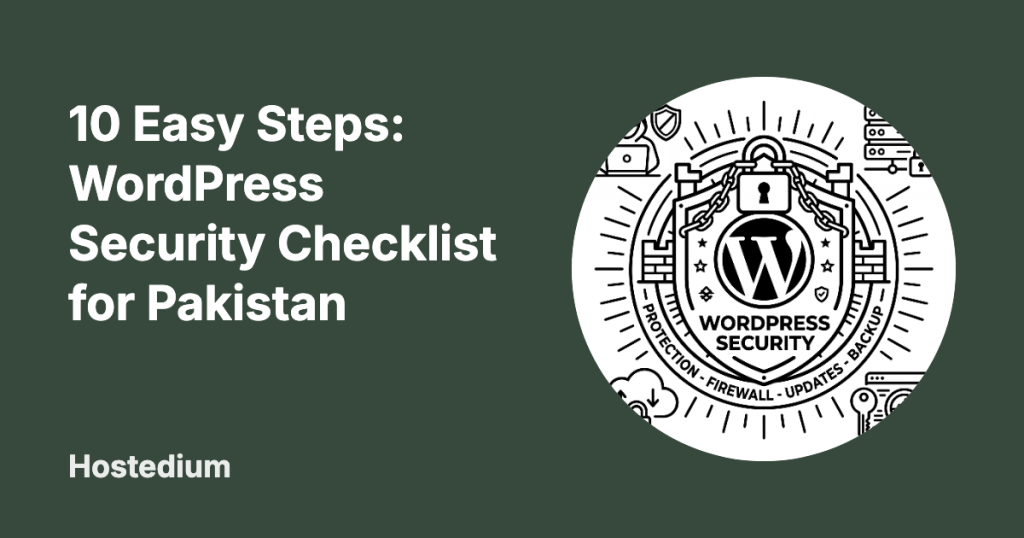
Securing your digital presence requires active maintenance and a multi-layered defense strategy. Pakistani business owners face unique regional cyber threats ranging from automated botnets to targeted data theft. You must prioritize website security to protect customer data and maintain your search engine rankings. Implementing a proven 10-step security checklist ensures your site remains protected against the most common vulnerabilities.
Step 1: Enforce Strong Passwords and 2FA
Two-factor authentication (2FA) instantly stops unauthorized access even if hackers steal your password. You must require all users with administrative or publishing rights to use 2FA apps like Google Authenticator. Relying on simple passwords leaves your site completely exposed to automated credential-stuffing attacks. Enforcing strong, generated passwords blocks these brute-force entry attempts entirely.
Password managers provide the safest way to handle complex login credentials for your team. You should instruct your staff to use tools like Bitwarden or 1Password to generate 24-character alphanumeric passwords. Storing these credentials in secure vaults prevents the reuse of compromised passwords across multiple platforms. This simple administrative change eliminates the human error associated with password creation.
Step 2: Update Core, Themes, and Plugins Automatically
Running outdated software causes the majority of successful WordPress compromises globally. You must enable automatic background updates for minor WordPress core releases to patch security holes immediately. Plugin developers constantly release updates specifically designed to fix known vulnerabilities found by security researchers. Ignoring these updates leaves public exploits open on your server for automated bots to find.
Removing inactive plugins and themes drastically reduces your website attack surface. You should delete any extension you are not actively using rather than just deactivating it. Deactivated plugins still contain executable PHP files that hackers can target to execute malicious code. Keeping a lean installation ensures you only have to secure the software you actually need.
Step 3: Implement Web Application Firewalls (WAF)
A Web Application Firewall (WAF) acts as a protective shield that intercepts malicious traffic before it reaches your WordPress site. You need a cloud-based or endpoint WAF to filter out SQL injection attempts and cross-site scripting attacks. These firewalls maintain constantly updated rulesets that identify and block emerging threats automatically. Blocking this bad traffic at the network edge also saves your server bandwidth and processing power.
Administrators should configure strict firewall rules tailored to their specific operational needs. You can block entire countries or specific IP ranges that show repeated malicious activity against your server. Reviewing resources like the Cyber Security Advisories by PKCERT provides actionable instructions for patching systems. Aligning your firewall rules with national threat intelligence ensures maximum defense against hostile actors.
Step 4: Secure Your WordPress Login Page
Changing the default wp-admin URL stops automated login bots from overwhelming your server resources. You can use free plugins like WPS Hide Login to rename your administrative access point to something unique. Bots scan millions of websites daily looking specifically for the standard login directories to launch brute-force attacks. Hiding this door prevents these scripts from ever initiating an attack on your site.
Limiting login attempts permanently blocks IP addresses after they fail to guess your password repeatedly. You should configure a security plugin to lock out users after three failed login attempts within five minutes. This restriction mathematically breaks brute-force attacks by slowing the attackers down to an impossible crawl. Legitimate users who forget their passwords can easily use the standard reset process instead.
Step 5: Utilize SSL Certificates
An SSL certificate encrypts the data traveling between your user browsers and your web server. You must force HTTPS connections across your entire domain to prevent attackers from intercepting sensitive information like passwords. Websites without SSL certificates trigger security warnings in modern browsers that drive potential customers away. Learning how to install SSL in cPanel takes only a few minutes and permanently solves this issue.
At Hostedium, we include free AutoSSL certificates with all our shared hosting plans to guarantee baseline encryption. Our systems automatically provision and renew these certificates so your encryption never unexpectedly expires. You never have to manually generate Certificate Signing Requests or upload private keys to maintain your secure connection.
Step 6: Configure Automated Remote Backups
Daily remote backups provide your ultimate safety net in the event of a catastrophic security failure. You must store your backup archives on a separate server from your primary WordPress installation to ensure they survive a hack. Keeping backups on the same server means attackers can easily delete your recovery files during a breach. Relying on web hosting with daily backups guarantees you always have a clean restore point available.
Testing your backup restoration process prevents nasty surprises during an actual emergency. You should perform a trial restoration to a staging environment at least once every quarter. Verifying the integrity of your database and media files ensures your backup software actually captures everything necessary for recovery. A backup you cannot restore holds absolutely no value during a crisis.
Step 7: Disable File Editing in wp-config.php
Disabling the built-in WordPress file editor prevents attackers from modifying your theme files if they gain dashboard access. You must add a simple line of code to your wp-config.php file to turn off this dangerous feature completely. Leaving this editor active gives hackers a direct path to inject PHP backdoors straight from their browser. Removing this capability forces attackers to need deeper FTP or cPanel access to alter your source code.
Protecting the wp-config.php file itself requires strict file permission settings on your server. You should set the permissions of this critical file to 440 or 400 to prevent unauthorized local reading and writing. This configuration file contains your database credentials and security keys in plain text. Locking it down ensures a vulnerability in a random plugin cannot expose your master database password.
Step 8: Monitor File Integrity and Malware
File integrity monitoring alerts you the exact moment an unauthorized script modifies your core WordPress files. You should install a security scanner like Wordfence or Sucuri to run daily automated checks against the official WordPress repository. These scanners compare your live files against the known clean versions and flag any unauthorized changes immediately. Detecting alterations early allows you to isolate the breach before hackers can steal your customer data.
Running regular malware scans detects hidden backdoors that bypass traditional firewalls. You need a solution that scans your database tables specifically for malicious JavaScript injections and spam links. Attackers often hide their payloads deep inside the wp_options table where standard file scanners cannot see them. Comprehensive scanning ensures your site remains clean at both the file and database levels.
Step 9: Review User Roles and Permissions
Applying the principle of least privilege limits the damage a compromised account can inflict on your website. You must only grant administrator access to users who actually need to modify plugins or themes. Assigning the Editor or Author role to content writers ensures they cannot accidentally break the site or install rogue software. Auditing your user list monthly helps you identify and remove inactive accounts that present a security risk.
Government and enterprise administrators face strict legal requirements regarding access control. Administrators managing public sector data must align with official Governance, Risk, and Compliance (GRC) Policies from the National CERT to ensure legal compliance. These frameworks mandate rigorous access logs and strict technical controls for any system processing sensitive national data. Adhering to these standards protects both your infrastructure and your organizational liability.
Step 10: Choose Secure Web Hosting
Your web hosting provider represents the physical foundation of your entire WordPress security strategy. You must select a host that provides server-level isolation, active malware scanning, and specialized WordPress firewalls. Trying to secure a website on a poorly configured shared server wastes your time because attackers can pivot from neighboring compromised sites. Finding the best web hosting for wordpress in pakistan requires verifying their specific infrastructure security measures.
Our infrastructure at Hostedium features NVMe SSDs paired with strict CloudLinux isolation for every single account. We deploy Imunify360 to provide real-time malware protection and proactive defense against zero-day vulnerabilities. Our shared hosting environments prevent cross-site contamination so your data remains exclusively yours.
Bonus: Incident Response Planning
Having a documented incident response plan dictates exactly how you will react when a breach occurs. You must immediately force password resets for all users and clear all active user sessions from the database. Rapid isolation of the infected environment stops the malware from spreading to other directories. Following a strict protocol on how to cleanup hacked wordpress site minimizes your overall downtime.
Communicating transparently with your customers builds trust after a data security incident. You should inform affected users about what data was compromised and what steps you have taken to secure the system. Hiding a breach often results in severe reputational damage once the public inevitably discovers the truth. Swift and honest communication proves you take your clients privacy seriously.
Security Feature Comparison
Understanding the difference between baseline and premium security measures helps you allocate your budget effectively. You must prioritize features that block automated attacks first before investing in advanced monitoring services. The table below outlines the core differences between standard and advanced protective measures.
| Security Feature | Free / Standard Implementation | Premium / Advanced Implementation |
|---|---|---|
| Firewall (WAF) | Basic plugin-based traffic filtering | Cloud-based DNS level interception (e.g., Cloudflare Pro) |
| Malware Scanning | Weekly automated scans with limited signature updates | Real-time scanning with immediate automated quarantine |
| Backups | Local server storage scheduled weekly | Off-site AWS/Google Cloud storage scheduled hourly |
| Login Protection | Simple limit login attempts plugin | Hardware security keys and mandatory biometric 2FA |
| Vulnerability Patching | Manual updates by the administrator | Automated virtual patching at the server level |
Frequently Asked Questions
Why do Pakistani websites get hacked so frequently?
Pakistani websites frequently fall victim to automated global botnets simply because administrators fail to update their software. Hackers do not usually target small businesses manually; they use scripts to scan thousands of sites for known plugin vulnerabilities. Keeping your core files and plugins updated eliminates the vast majority of these automated threats instantly.
Does a free SSL certificate provide enough security for an online store?
Free SSL certificates from Let’s Encrypt provide the exact same level of 256-bit encryption as expensive premium certificates. They secure the data transfer between the browser and the server perfectly for any e-commerce transaction. The only difference is that premium certificates offer organizational validation and financial warranties which most small businesses do not require.
How can I tell if my WordPress site is infected with malware?
Sudden spikes in server resource usage or unexpected drops in your search engine rankings strongly indicate a malware infection. You might also notice strange pop-ups on your frontend or find unknown admin users suddenly appearing in your dashboard. Running a free scan through Sucuri SiteCheck will immediately highlight external malicious code present on your domain.
Is changing the database prefix actually necessary?
Changing the default wp_ database prefix adds a minor layer of security against automated SQL injection attacks. It forces attackers to guess your table names rather than relying on the default structure during an exploit attempt. However, it is not a silver bullet and should only be used alongside proper firewalls and regular patching.
Will a security plugin slow down my website performance?
Heavy security plugins that run extensive database scans on your live server will noticeably degrade your page loading speeds. You can avoid this by using a DNS-level firewall that filters bad traffic before it ever hits your hosting server. Offloading security tasks to specialized cloud services keeps your local server resources dedicated to serving actual customers.
What should I do first if I discover my site is hacked?
You must immediately take the website offline or put it into maintenance mode to protect your visitors from downloading malware. Next, contact your hosting provider to run a server-level malware scan and request a secure restore point. You should never try to manually delete infected files without knowing the exact entry point, as the malware will just regenerate.
How often should I back up a simple business portfolio site?
A static business portfolio that rarely publishes new content only needs a full backup taken once a week. You must also run an immediate manual backup right before performing any core or plugin updates. This ensures you can instantly roll back the site if a new update causes a fatal error on your server.